by Arka Pratim Chaudhuri on
But what is HEAD, index and working directory?
According to the Pro Git book, written by Scott Chacon and Ben Straub,
- HEAD is the last commit snapshot, next parent or our last commit on that branch.
- Index is the Proposed next commit snapshot or more specifically, the Staging Area.
- And working directory is the sandbox.
This is the diagram which gives the best possible explanation:
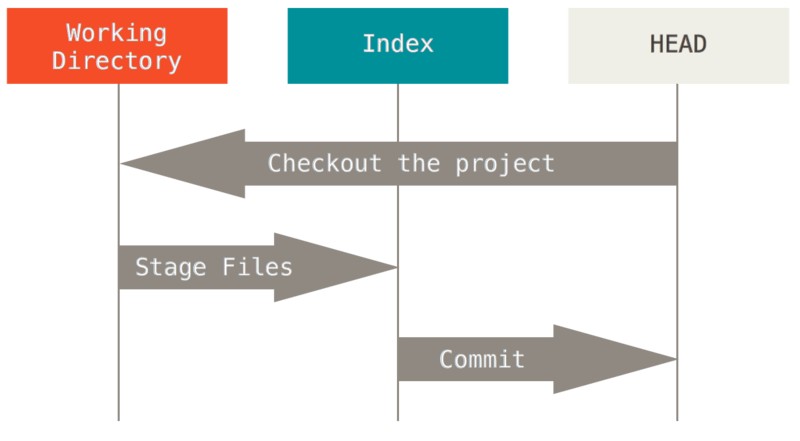
This page explains the best when it comes to git workflow.
Now what git reset does actually?
According to the official documentation, git reset moves the HEAD along with branch it is pointing to some another commit. On the other hand, git checkout only moves the HEAD.
This can be explained as:
If our current master branch looks like this:
-A -B -C (HEAD, master)
And we want to move the HEAD as well as master branch to B, then just a git reset B or git reset HEAD~ will result in:
-A -B (HEAD, master) # -C is still here, but there’s no branch pointing to it anymore
Note: If we’d have ran git checkout B instead, the result would’ve been:
-A -B (HEAD) -C (master)
The options by which we can use git reset
There are 5 in total, they are:
--soft--hard--mixed--merged--keep
Now what role they perform?
Let’s say that we’ve modified file.txt again and committed it a third time. So now our history looks like this:
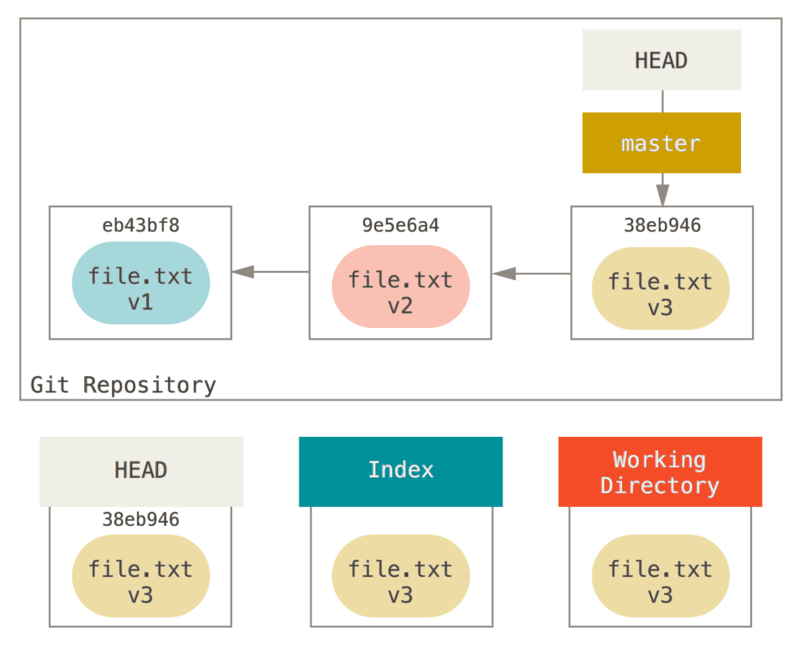
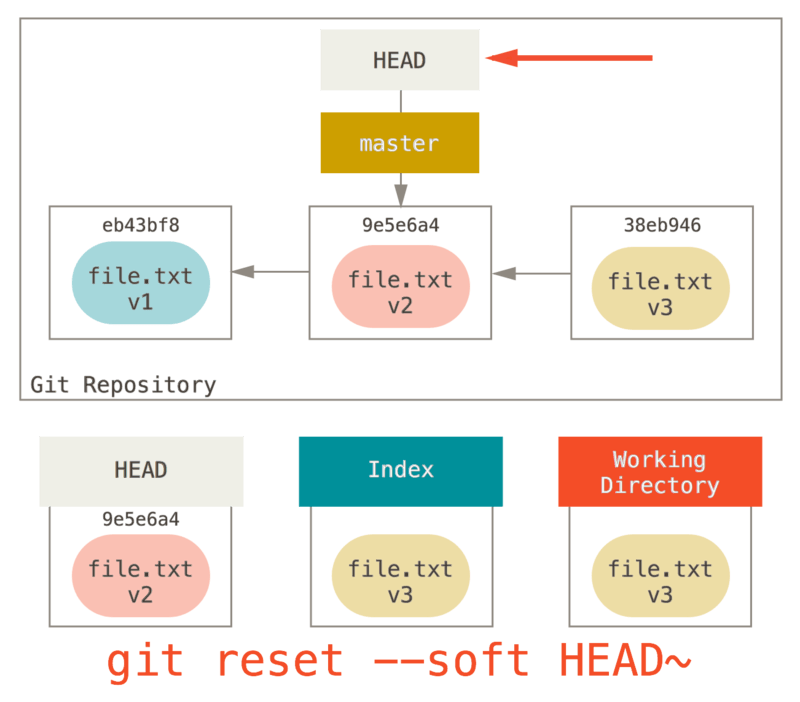
Now, after the application of git reset --soft HEAD~, it’d become something like this:
Note💡:
git reset --soft HEAD~just updates the HEAD without changing the index and the working directory.
Similarly, git reset --mixed HEAD~ or git reset HEAD~ updates the HEAD & index. Also, git reset --hard HEAD~ updates HEAD, index as well as the working directory.
Also, there’s a great article, which describes how to undo almost anything with git.